 Lexe Help
Keep every word you look up while reading in another language.
Lexe Help is a browser extension for language learners. Select a word on any website, write what it means, and it stays highlighted on that page and collected in your own library.
Free, for Chrome and other Chromium browsers.
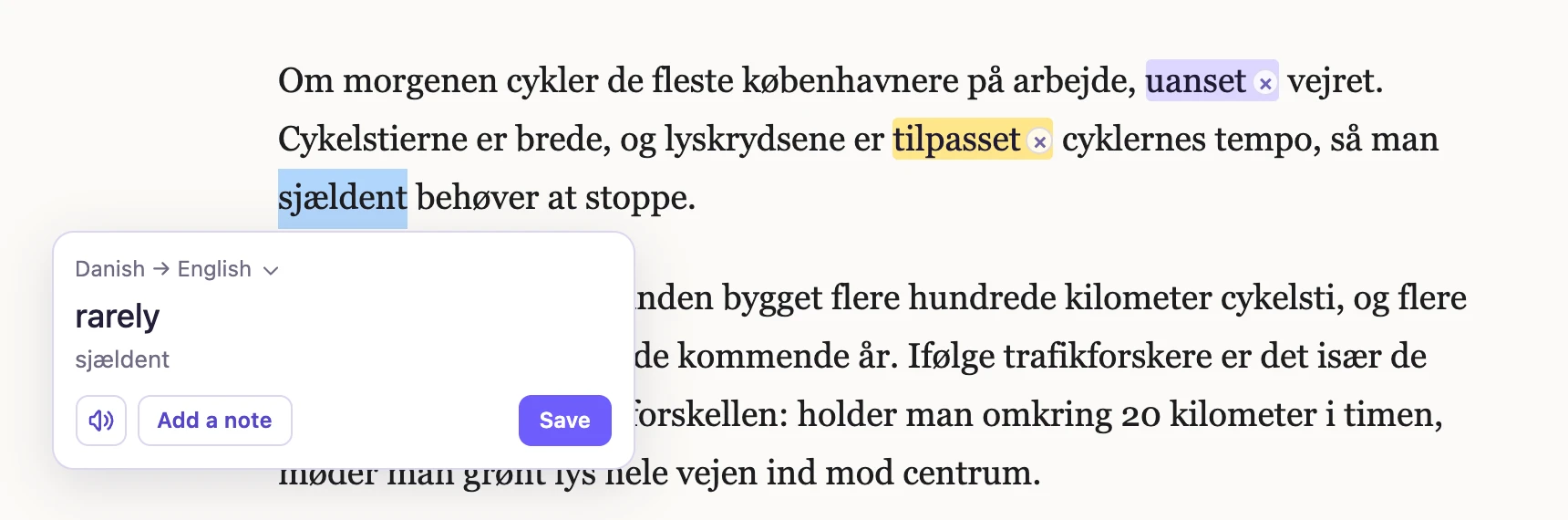
Om morgenen cykler de fleste københavnere på arbejde, uanset vejret. Cykelstierne er brede, og lyskrydsene er tilpasset cyklernes tempo, så man sjældent behøver at stoppe.
Why I made Lexe Help
I learn languages by reading: news, blogs, recipes, whatever I’d read anyway. But every unknown word meant switching to a translator tab, or translating the whole page and losing the original. Either way, I lost my place, and my flow.
Lexe Help keeps me on the page. I select the word, write down what it means, and keep reading. When I come back, my notes are still there.
— Dan
How it works
-
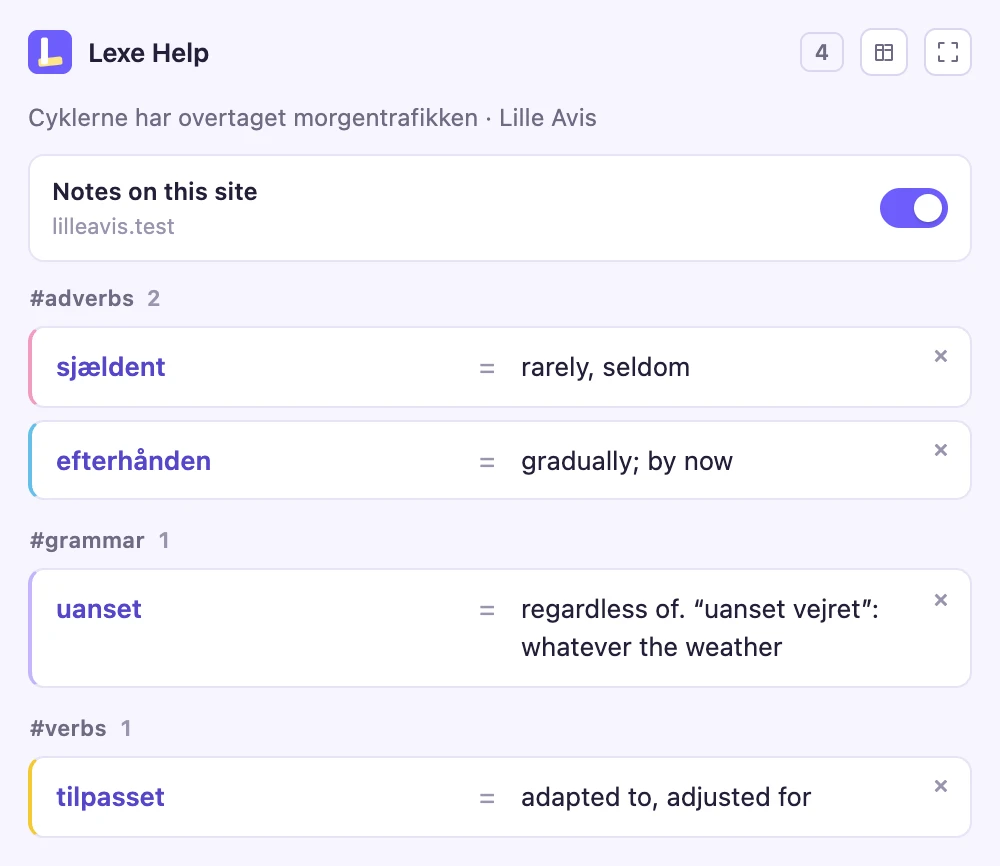
Switch on a site you read
On a news site, blog or course page, click the Lexe Help icon and turn on notes for that site. Lexe Help only works on the sites you switch on.
-
Select a word to translate it
The translation appears as soon as you select, free and with no daily limit. Save it as it is with one click, or add a note with a colour and a group such as #verbs.
-
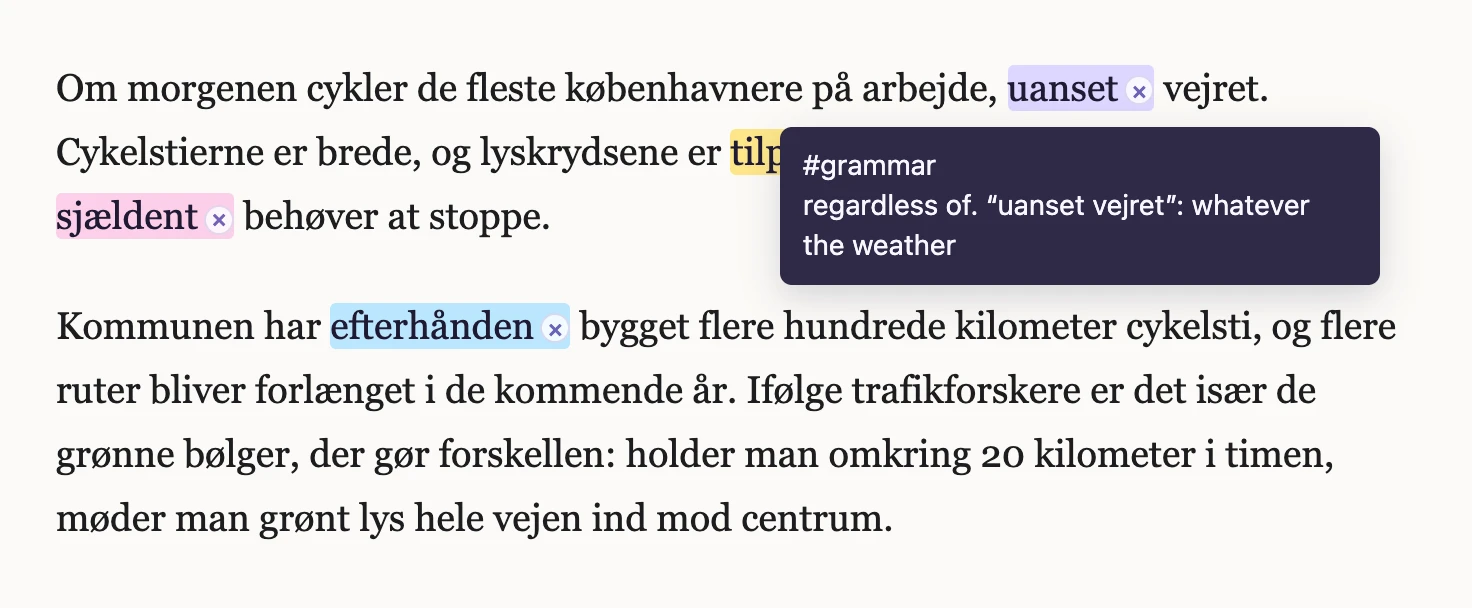
Come back and review
Your highlights are there the next time you open the page, and every word you have saved is waiting in your library.
One library for every site
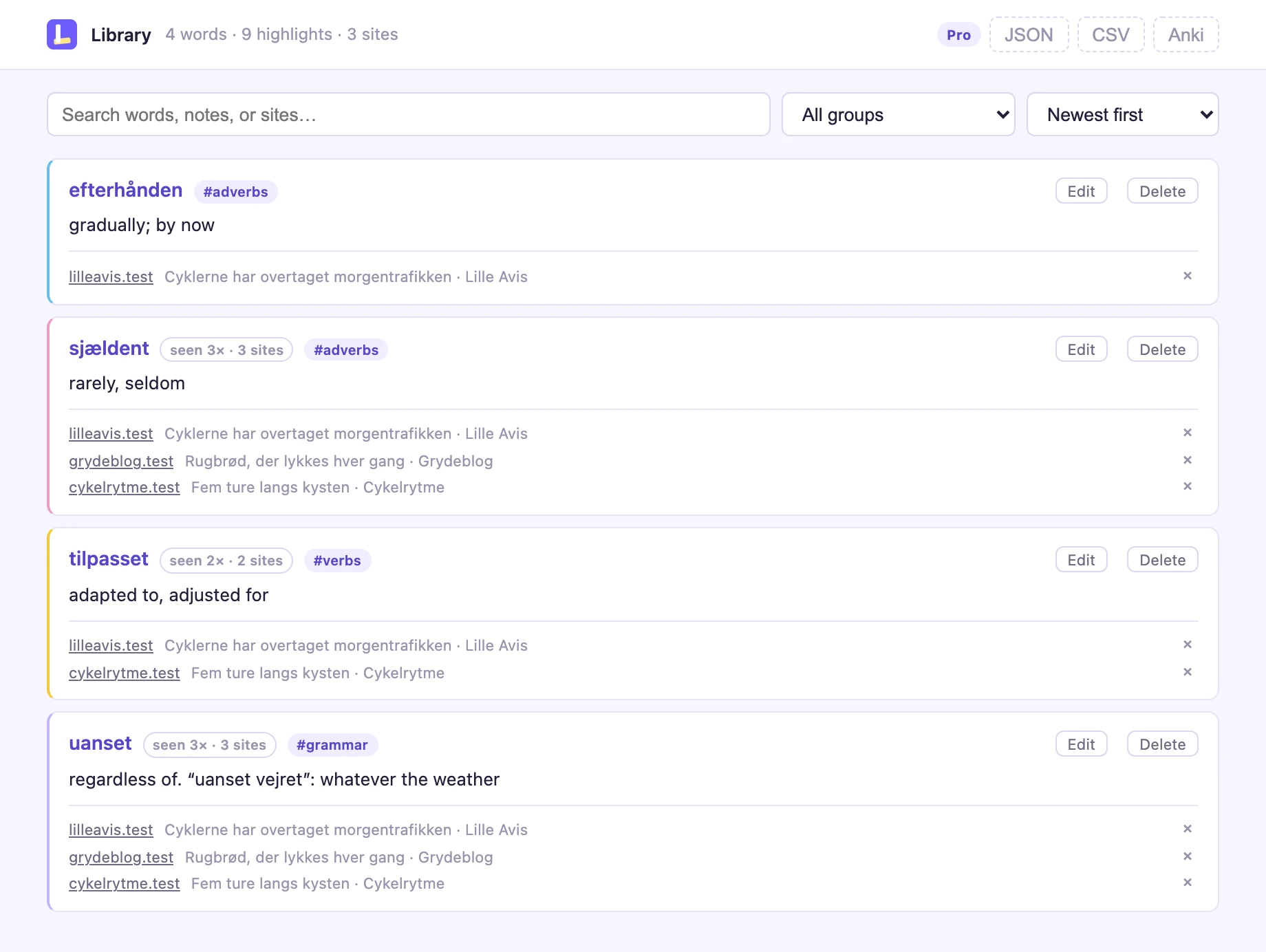
A word you meet on several sites becomes one entry that lists every page you saw it on. Search it, filter by group, or sort by the words you see most.
What it does
- Highlights that come back
- Notes are anchored to the text around them, so they reappear on your next visit even when the page has changed a little.
- Free translation, no limits
- Select a word or phrase and its translation appears straight away, made on your own computer by your browser. No account, no daily limit. Where your browser can't translate a language, one click opens it in Google Translate.
- Groups
- Tag notes with groups like #idioms or #food, and pick the groups you already use with one click.
- A page’s notes at a glance
- The toolbar button lists every note on the page you are reading, sorted into your groups.
Export to Anki
With Lexe Pro, your saved words become flashcards: the library exports a file that Anki imports as front and back cards, with CSV and JSON exports alongside.
uanset
regardless of. “Uanset vejret”: whatever the weather.
Lexe Pro
A paid plan for learners who want more from the words they save.
- Sync across devices
- One library on every device you use.
- Export
- Take your words to Anki as flashcards, or out as CSV and JSON.
- Recall hints
- When a word you have saved turns up again, on any site you read, Lexe Help marks it and lets you guess what it means before your note appears.
- Explain
- Select a word and see what it means in that sentence, not just in a dictionary.
Lexe Pro will be a paid plan. Everything else on this page stays free.
Your notes stay on your computer
The extension has no account, no servers and no analytics. Notes are stored in your browser, and the extension cannot see any site you have not switched on. The waitlist stores only the email and language you give it. Read the privacy policy.
Questions
Is Lexe Help free?
The extension is free. Sync between devices, export, recall hints and Explain will come with Lexe Pro, a paid plan.
Which browsers does it work in?
Chrome, and other Chromium-based browsers that install extensions from the Chrome Web Store.
Does it work on my phone or tablet?
Not yet. Lexe Help is a desktop extension for Chrome and other Chromium browsers for now.
Which languages does it support?
Notes work in any language. Translation covers more than 30 languages, including Spanish, French, German, Danish, Japanese and Chinese.
Is the extension in my language?
Its buttons and menus are in English for now. Your notes, and the languages you translate between, can be anything.
Can I study my words in Anki?
With Lexe Pro. The library will export a file that Anki imports as cards, with the word on the front and your note on the back.
Do my notes sync between computers?
Not yet. Notes stay in the browser you saved them in. Sync between devices will be part of Lexe Pro.
Does it work on every website?
It works on regular web pages. Text inside embedded frames and in the browser’s PDF viewer is not supported.
What happens to my notes if I uninstall it?
Uninstalling deletes them from your browser, and the free version cannot export them first.